Gideon Adeyemi
Product Designer
London, UK
20:11:58
Jóga, Björk ...


Product
Wandar
Role
Design Engineer
###
Travel, Lifestyle, Social
Platform
Web & Mobile
Problem
A major challenge when planning a vacation isn’t flights or accommodation; it’s the itinerary. Figuring out where to go, what to do, and which experiences are actually worth it. We end up searching Instagram, TikTok, and X for itineraries, but these platforms weren’t built for travel planning, so finding and organising useful recommendations is frustrating. Often, the easiest option is simply asking friends who’ve been there to share their itineraries.
Solution
I built Wandar to solve this problem. Wandar is a platform built on the concept of Prosocial motivation and reciprocity. Users document their travel experiences to keep records and build their travel portfolio; as a result, the platform becomes a bank of ready-to-use itineraries curated by people who have experienced them.
Product
Wandar
Role
Design Engineer
###
Travel, Lifestyle, Social
Platform
Web & Mobile
Problem
A major challenge when planning a vacation isn’t flights or accommodation; it’s the itinerary. Figuring out where to go, what to do, and which experiences are actually worth it. We end up searching Instagram, TikTok, and X for itineraries, but these platforms weren’t built for travel planning, so finding and organising useful recommendations is frustrating. Often, the easiest option is simply asking friends who’ve been there to share their itineraries.
Solution
I built Wandar to solve this problem. Wandar is a platform built on the concept of Prosocial motivation and reciprocity. Users document their travel experiences to keep records and build their travel portfolio; as a result, the platform becomes a bank of ready-to-use itineraries curated by people who have experienced them.
Designing and Engineering a New Experience For Trip Planning, Documentation, and Discovery
I designed, spec'd, and shipped a full-stack travel platform by myself. No engineers, no PM, no design partner. Just me for product and design thinking, technical planning, and Cursor for writing the code. Today, Wandar is live at wandar.co and is actively being used.
Wandar is a travel documentation app. You build trips as structured folders of days, places, notes, photos, instead of scattering them across Instagram saves, a Notes app, and a group chat nobody reads. Other travellers can discover that folder, save it, remix the whole thing, or lift a single recommendation out of it.
My role was everything: product strategy, UX and visual design, database schema, API design, QA, and Engineering. I reviewed every step myself, decided every trade-off, and did the debugging when things broke.
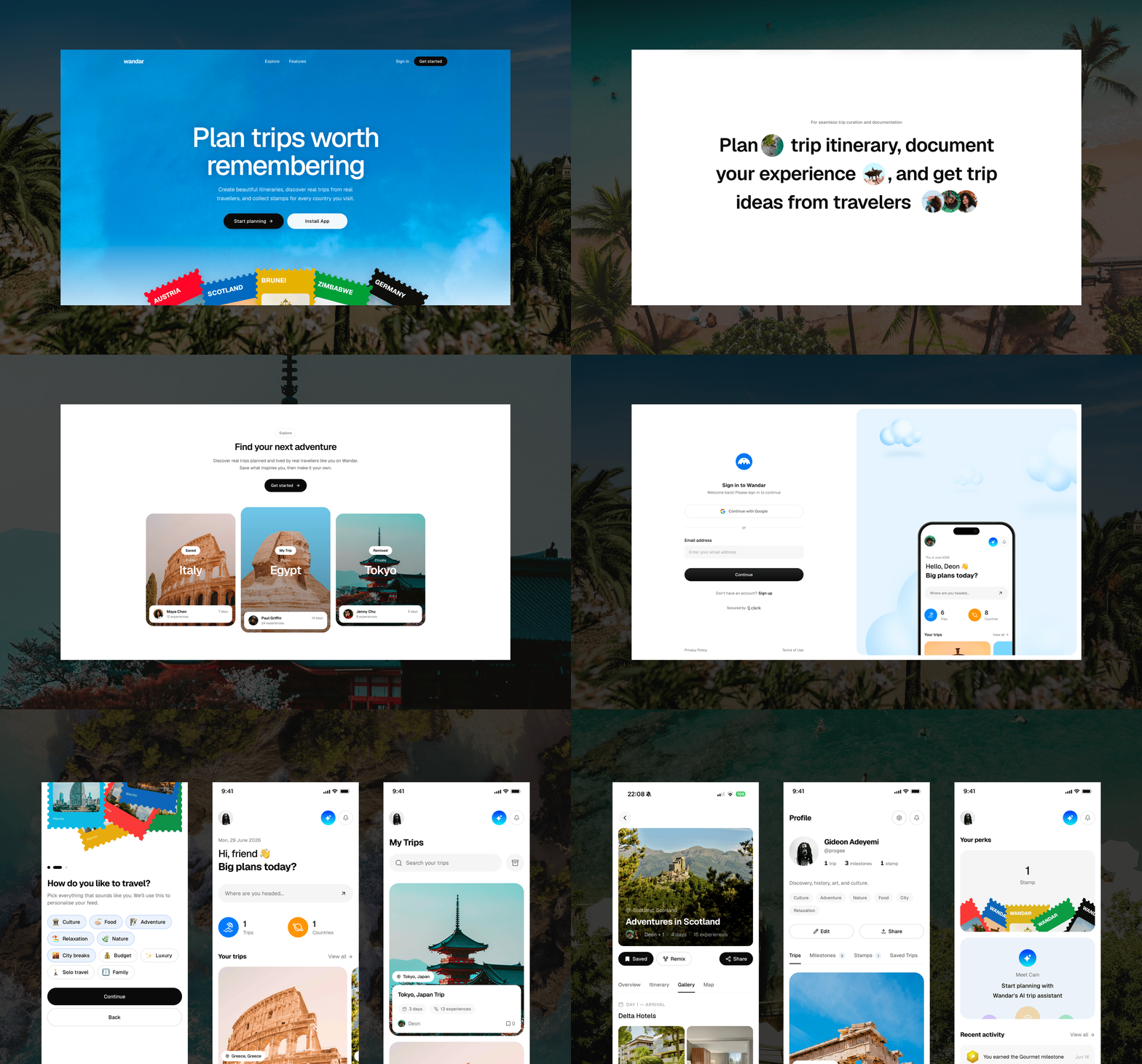
The Context
My main challenge when planning a vacation isn’t flights or accommodation; it’s the itinerary. Figuring out where to go, what to do, and which experiences are actually worth having takes hours. I end up searching Instagram, TikTok, and X for itineraries, but these platforms weren’t built for travel planning, so finding and organising useful recommendations is frustrating. Often, the easiest option is simply asking friends who’ve been there to share their itineraries.
I built Wandar to solve this problem. Wandar is a platform built on the concept of Prosocial motivation and reciprocity. Users document their travel experiences to keep records and build their travel portfolio; as a result, the platform becomes a bank of itineraries curated by real people who have experienced them.
Users can create trip folders for places they’ve visited, capturing everything from destinations to activities and memorable experiences. These folders can be public for others to discover or private for personal documentation. Planning a new trip becomes more like curating a playlist: you can browse other travellers’ itineraries, save places or experiences you like directly into your trip folder.
Ultimately, Wandar is both a place to curate and discover your next adventure and record everything you experienced on your journey.

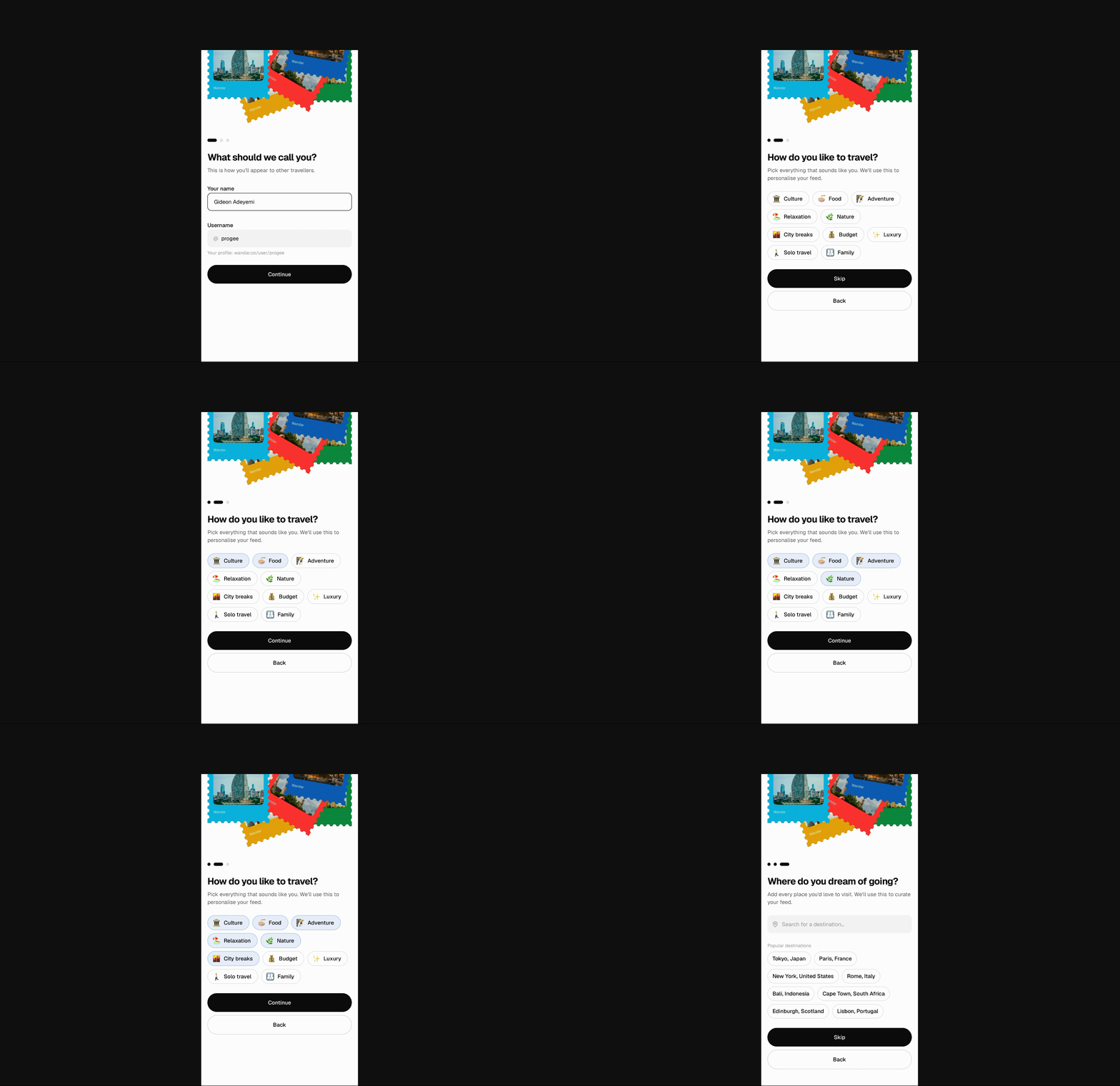
Onboarding, Profile & Discovery
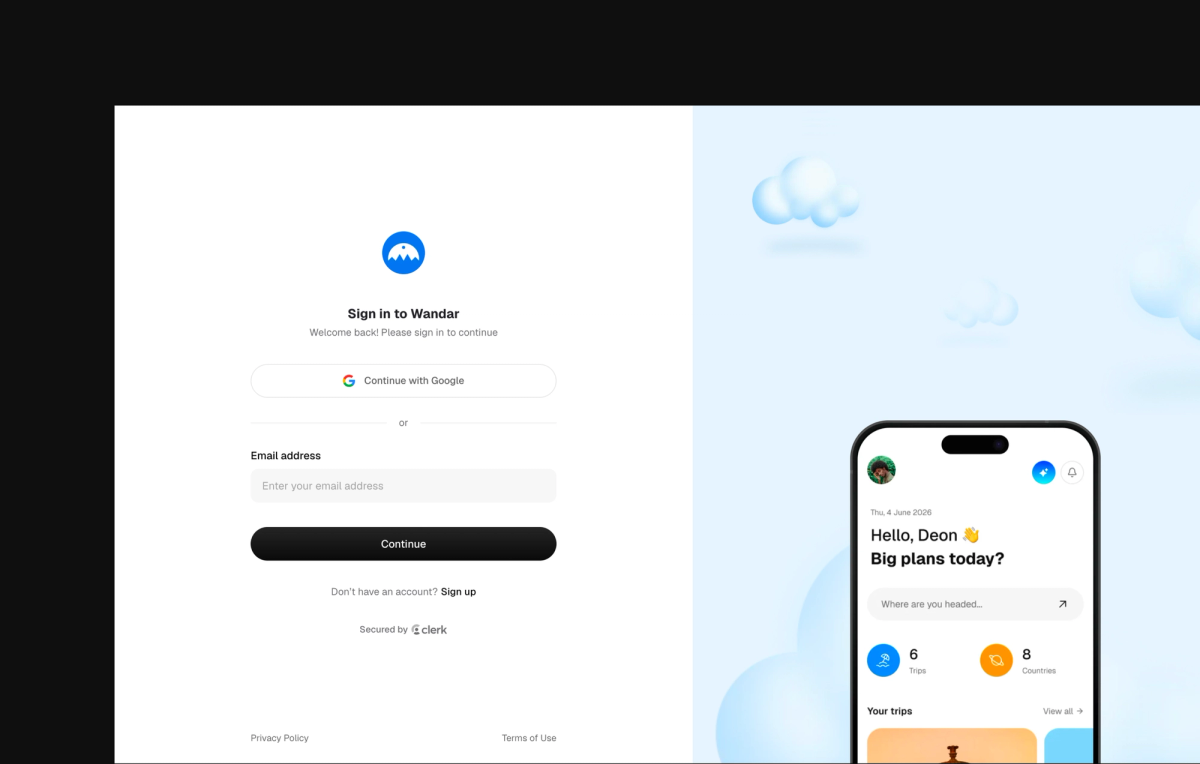
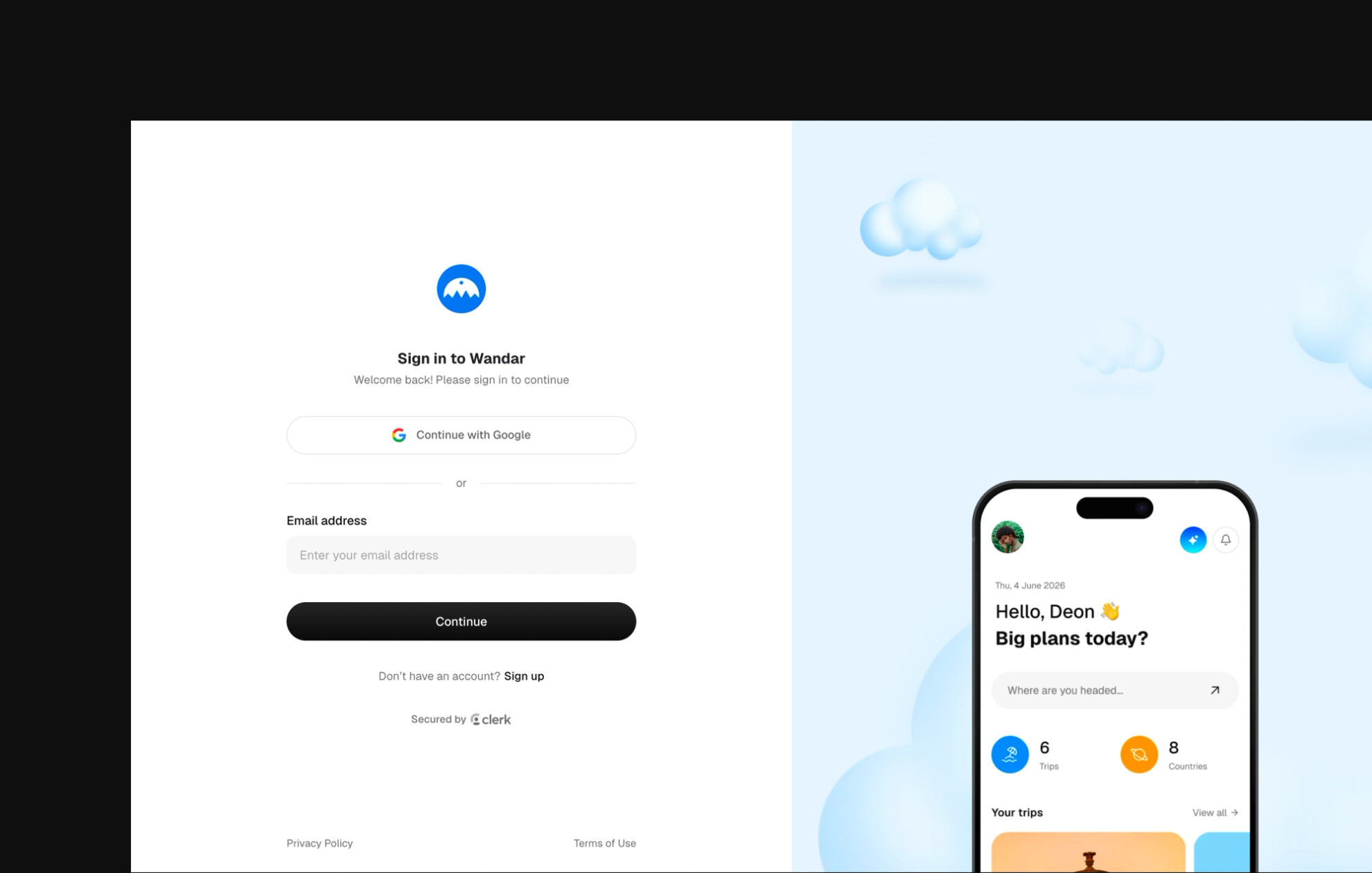
Sign-up runs through three quick steps: name and username, travel style, and dream destinations before landing on a personalised dashboard.
I designed the onboarding to be as quick as possible to reduce drop-off and plot a quick path towards seeing relevant travel content.
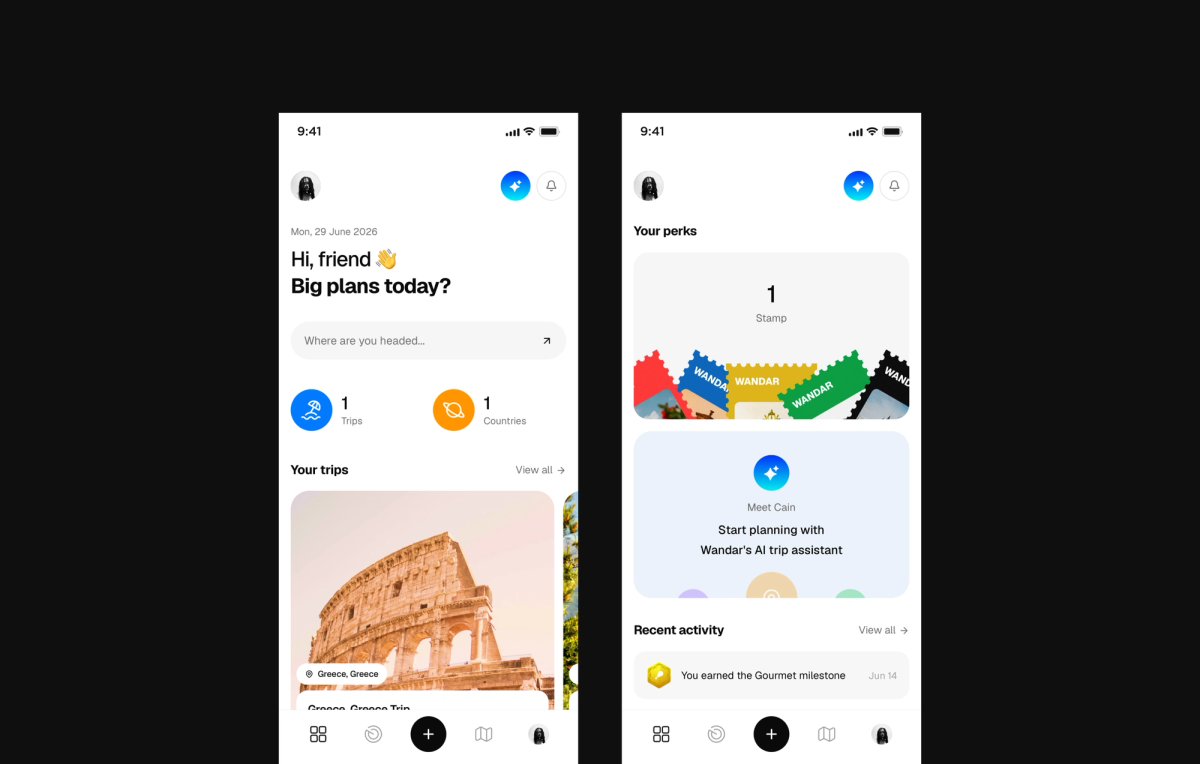
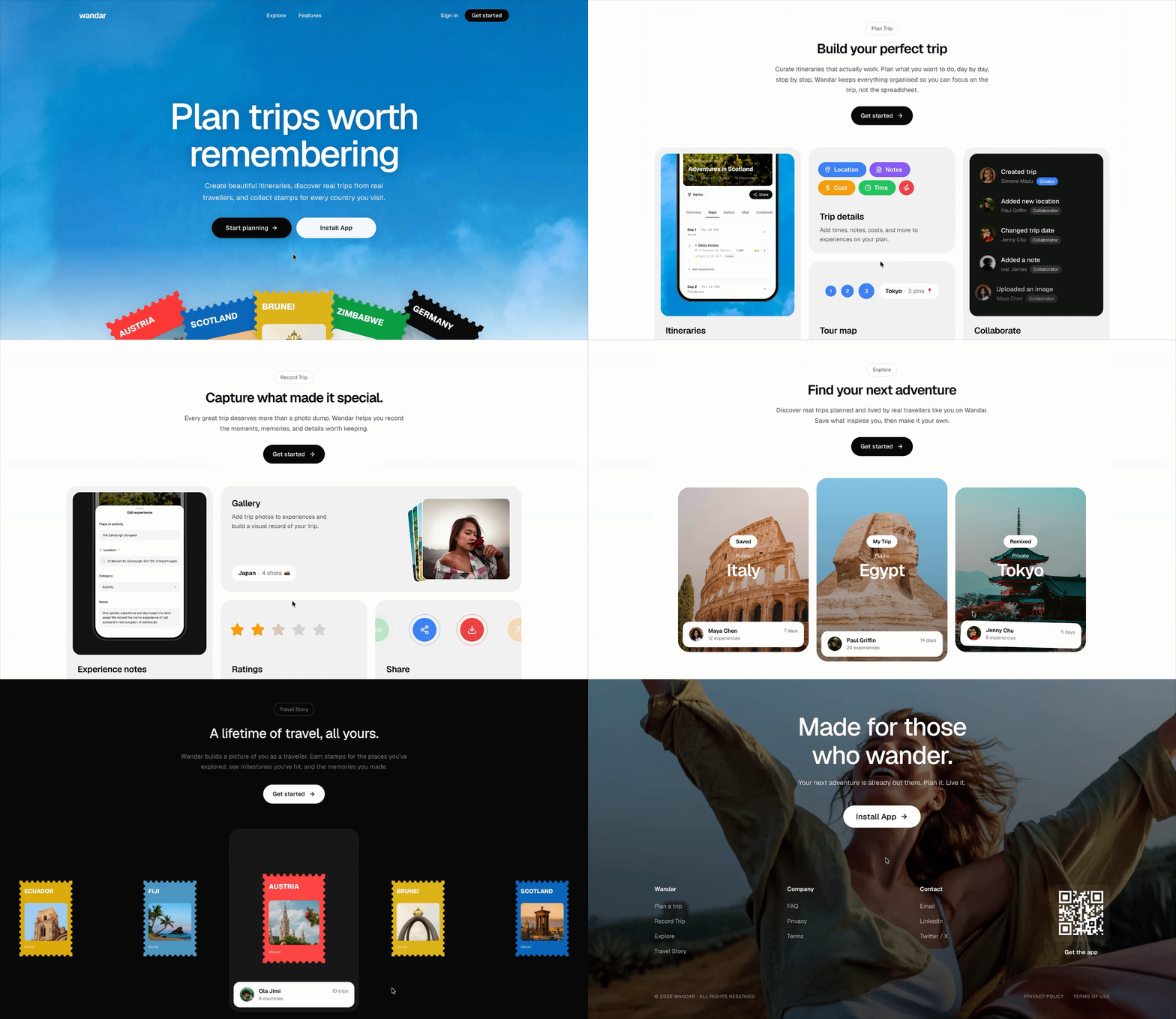
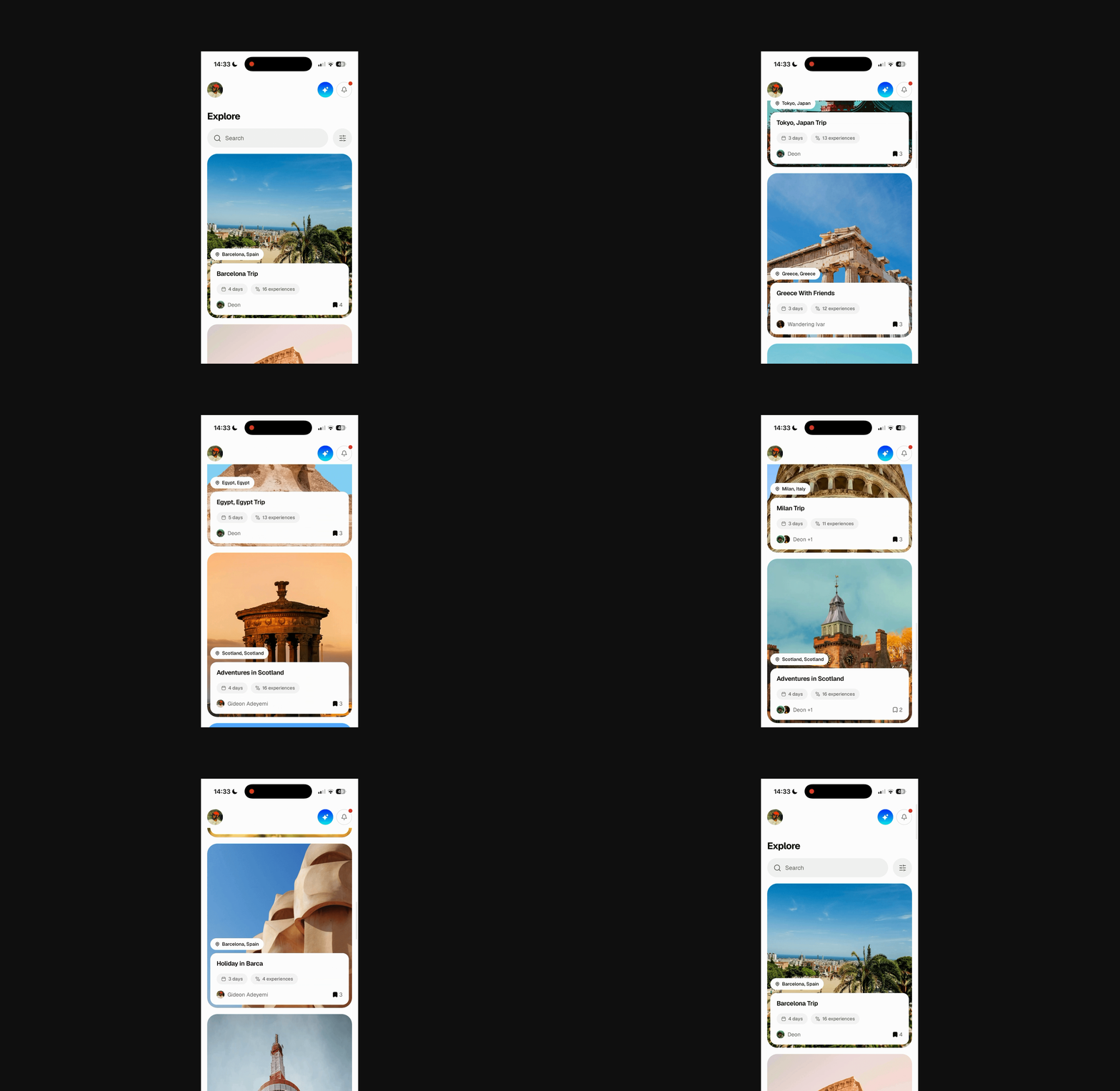
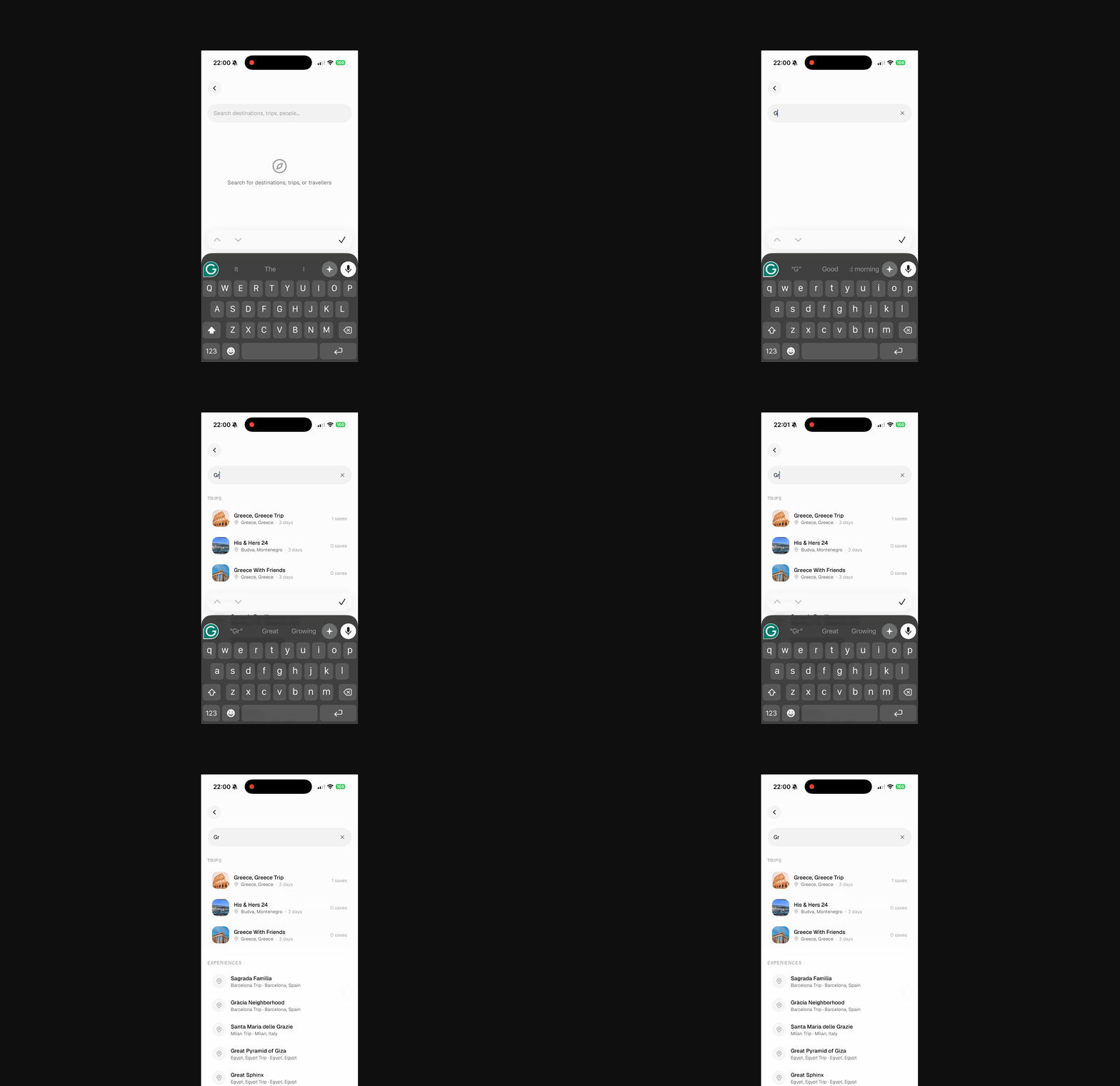
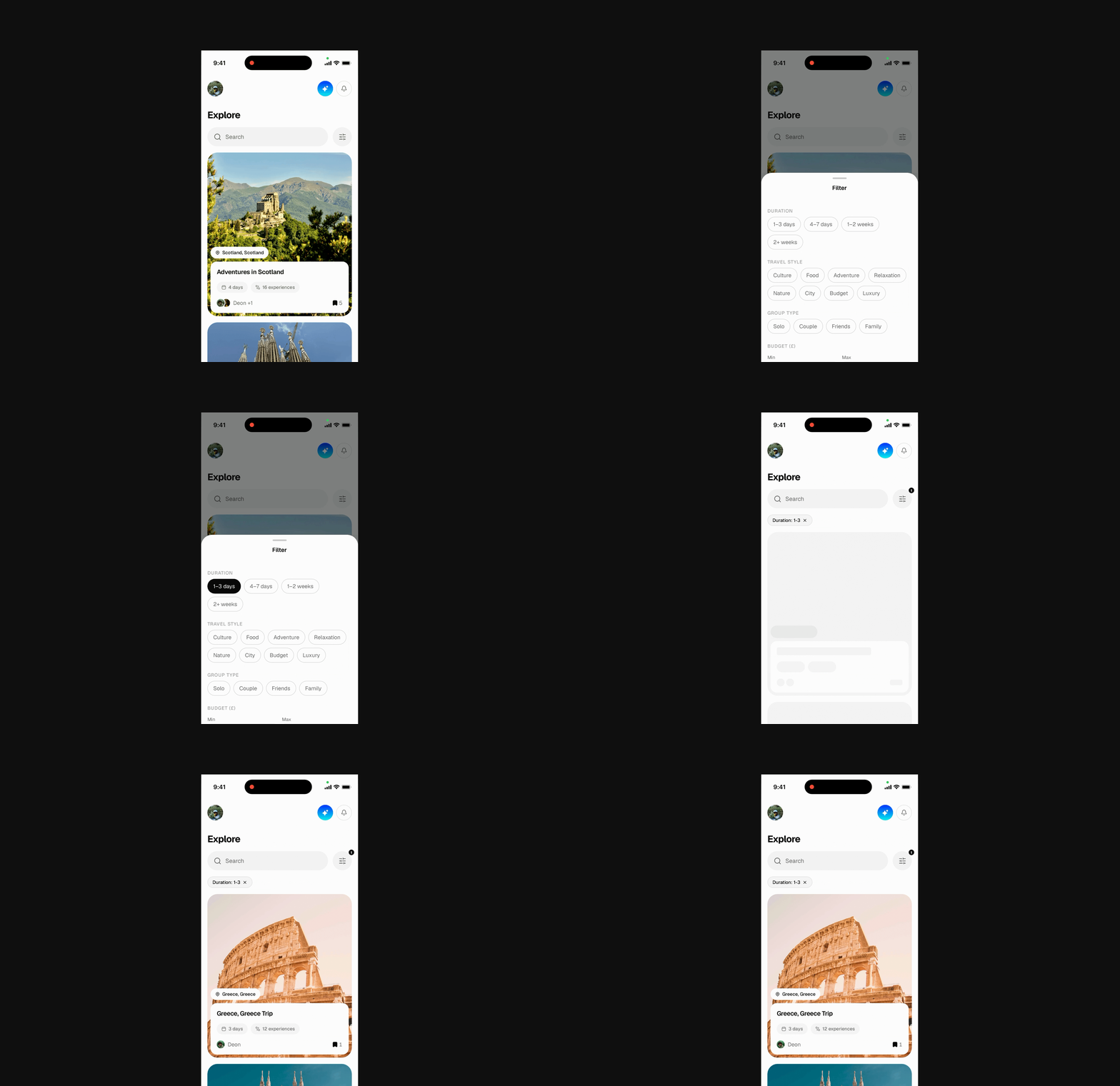
Explore is an endless scroll, filterable feed of public trips, cached in Redis and personalised by the user’s travel style. I implemented a semantic search so users can search through the explore feed using keywords or with intent like “fun activities in Barcelona”, “7 days travel itinerary” to cater to both users who know what they are searching for and those who aren’t sure, the search query extends beyond just the trips folders, it goes into the trip folders and dig out the individual experiences to see what perfectly matches the user’s search. I also added advanced filters for a thorough query to the result of the explore feed.
The Trip Builder: List, Detail, Itinerary, Gallery, Map
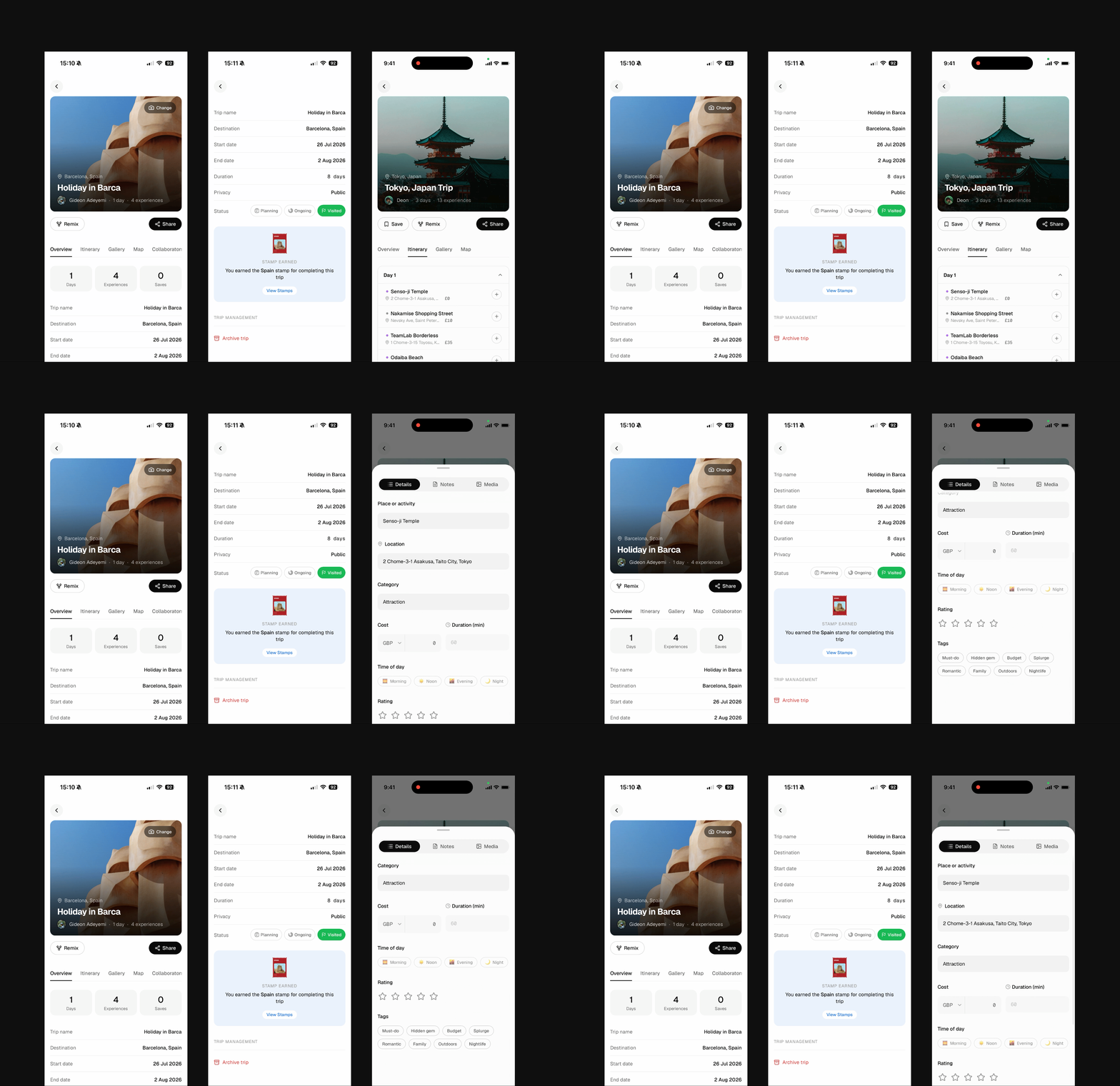
The trip card is the core unit across the whole product; it shows up in the Dashboard, My Trips, Explore, and Favourites, and expands into the full Trip Detail view. Inside a trip, users can find the trip details, itinerary, Gallery, Collaborators, and they can manage trip settings and visibility.
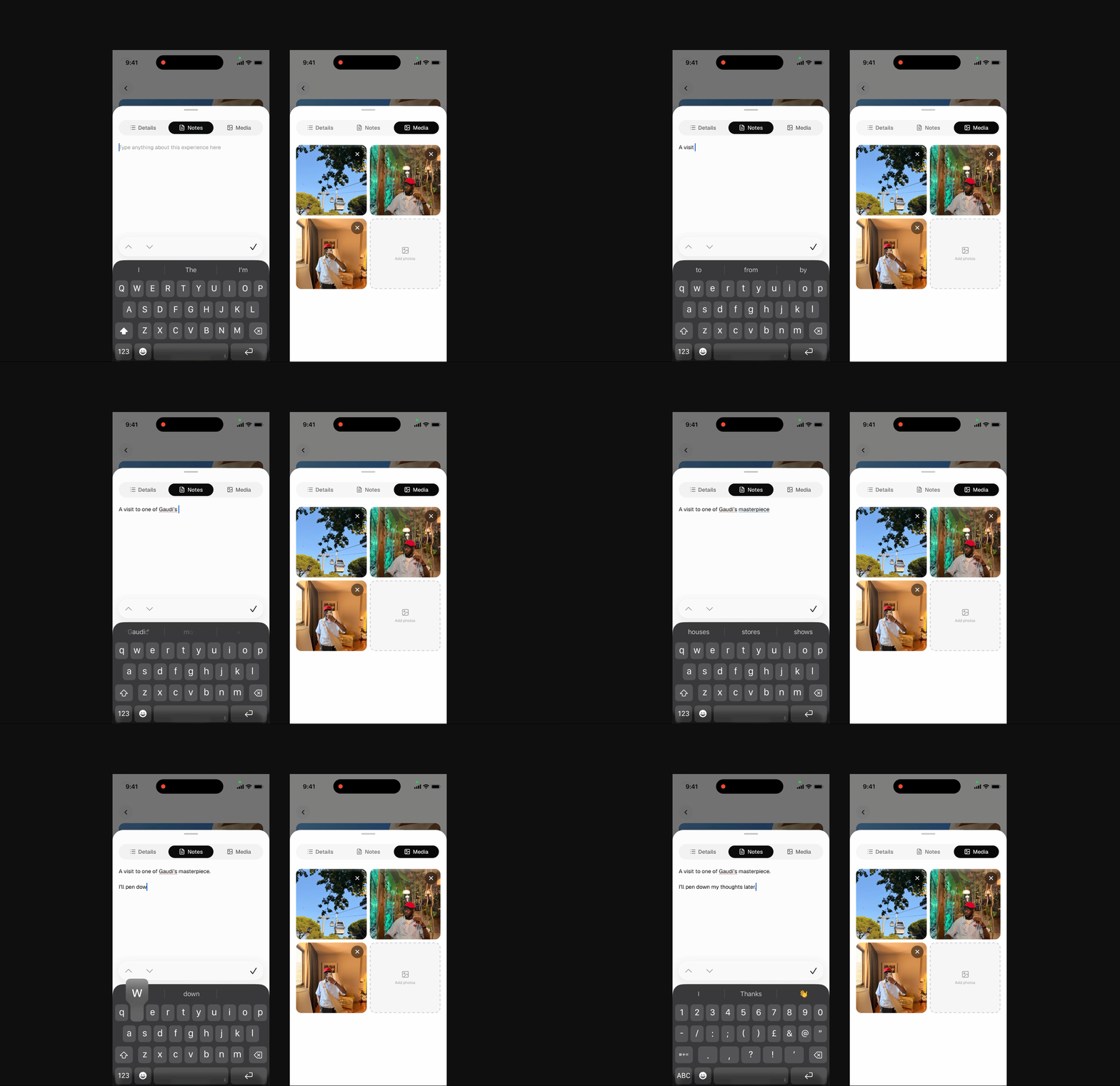
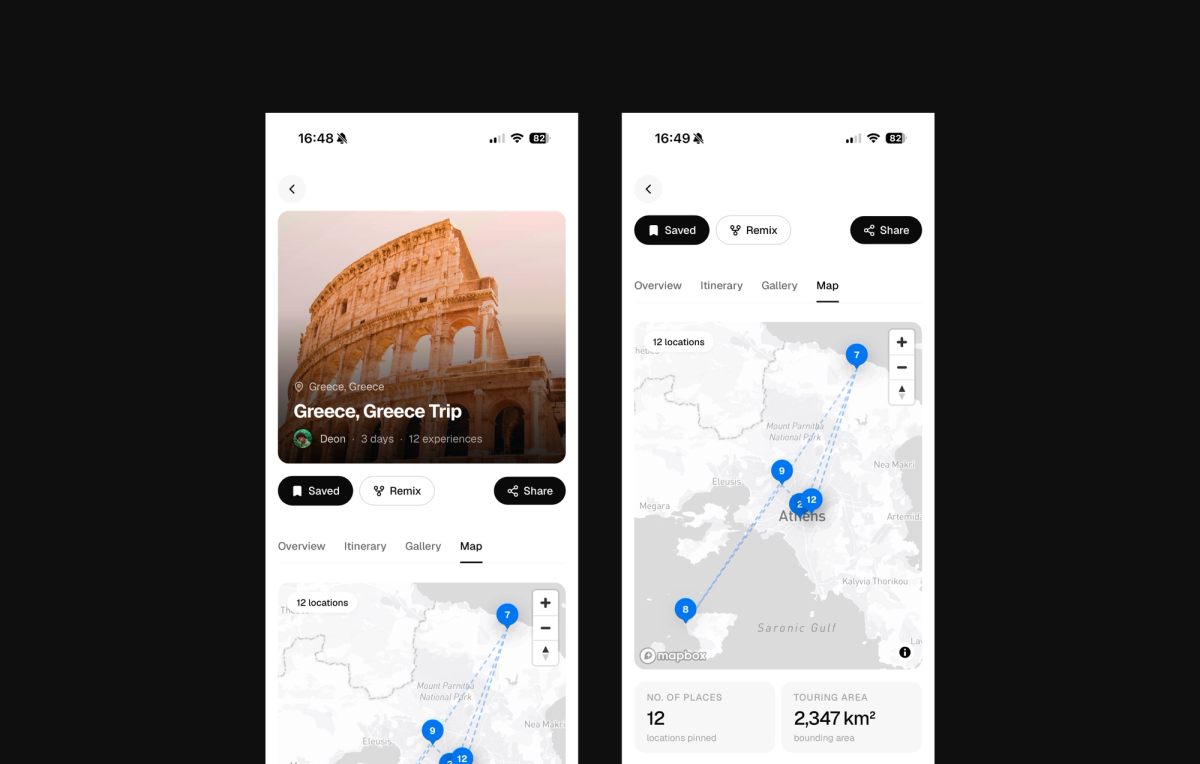
The itinerary is sectioned by days; the days hold experiences. Locations are added through Mapbox place search; users can add cost, rating, time spent, travel notes, and a media gallery for photos logged per experience and day. Users can create a trip from any page within the app with a create button on the navbar that opens a shared tray across the different pages.
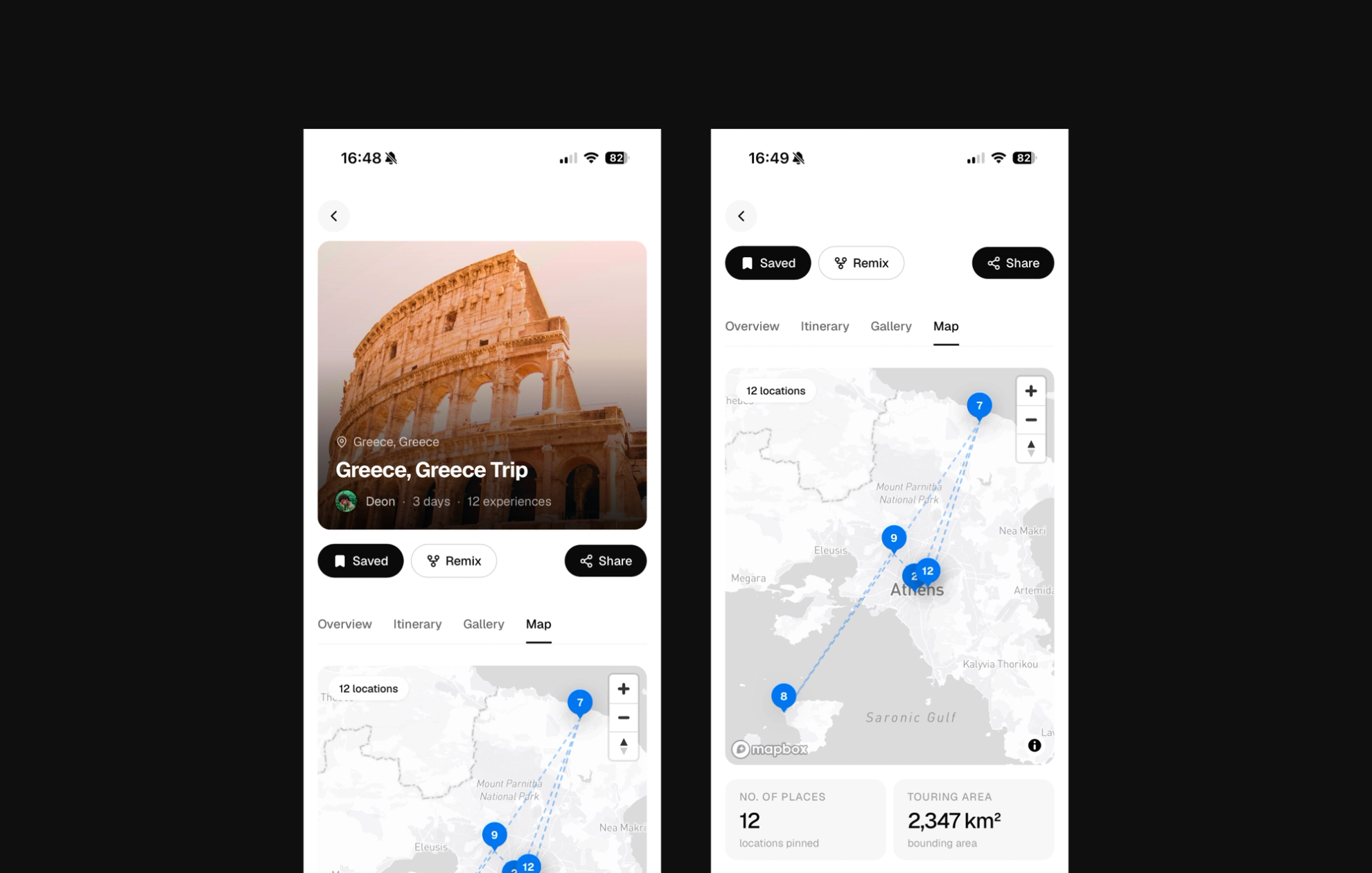
I chose the Mapbox search when adding places for location accuracy; this way, I was able to add a new feature that shows users the touring distance covered in the itinerary using a dedicated map view powered by the Mapbox API.
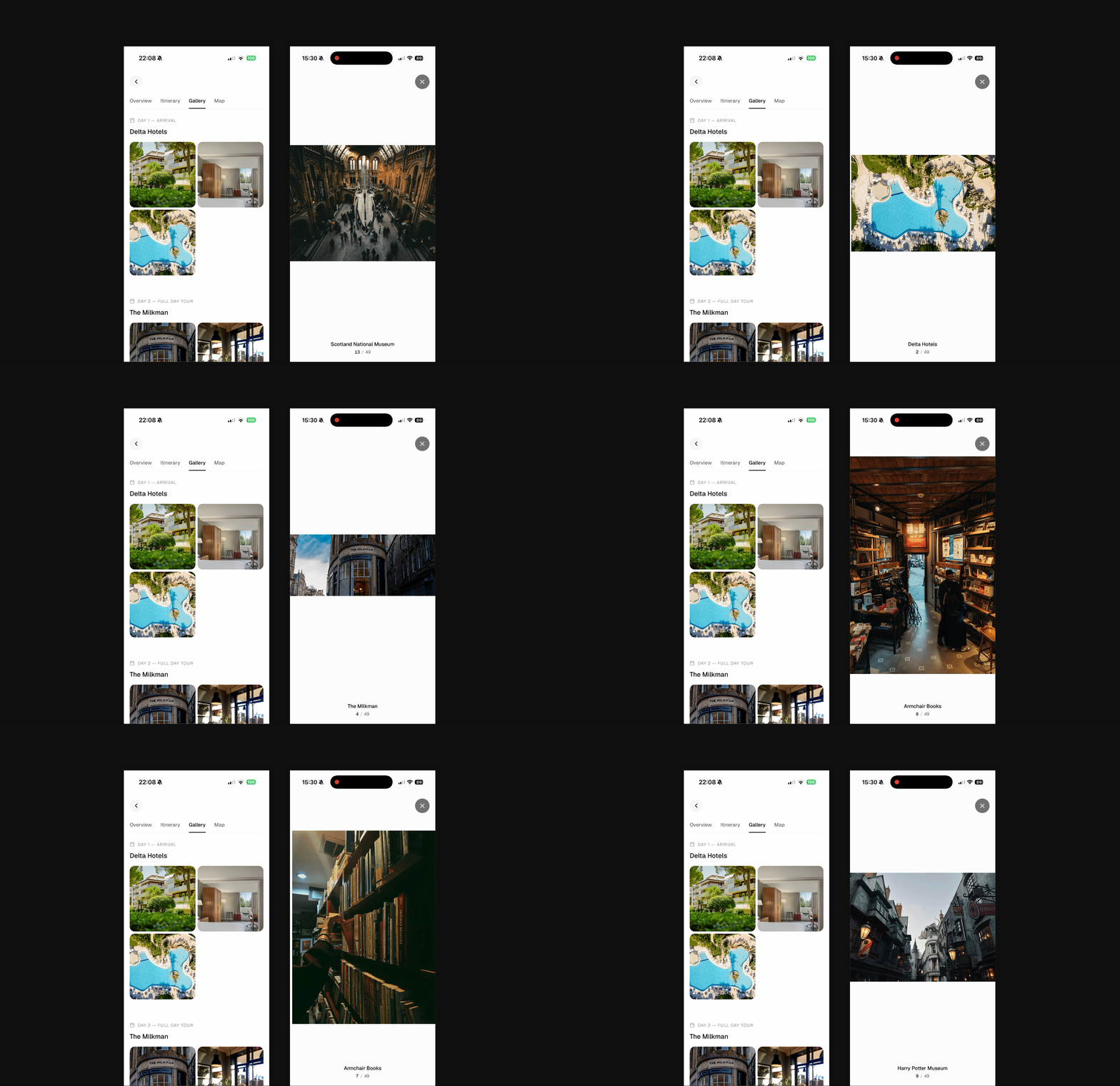
Cherrypicking, Collaboration, and Sharing
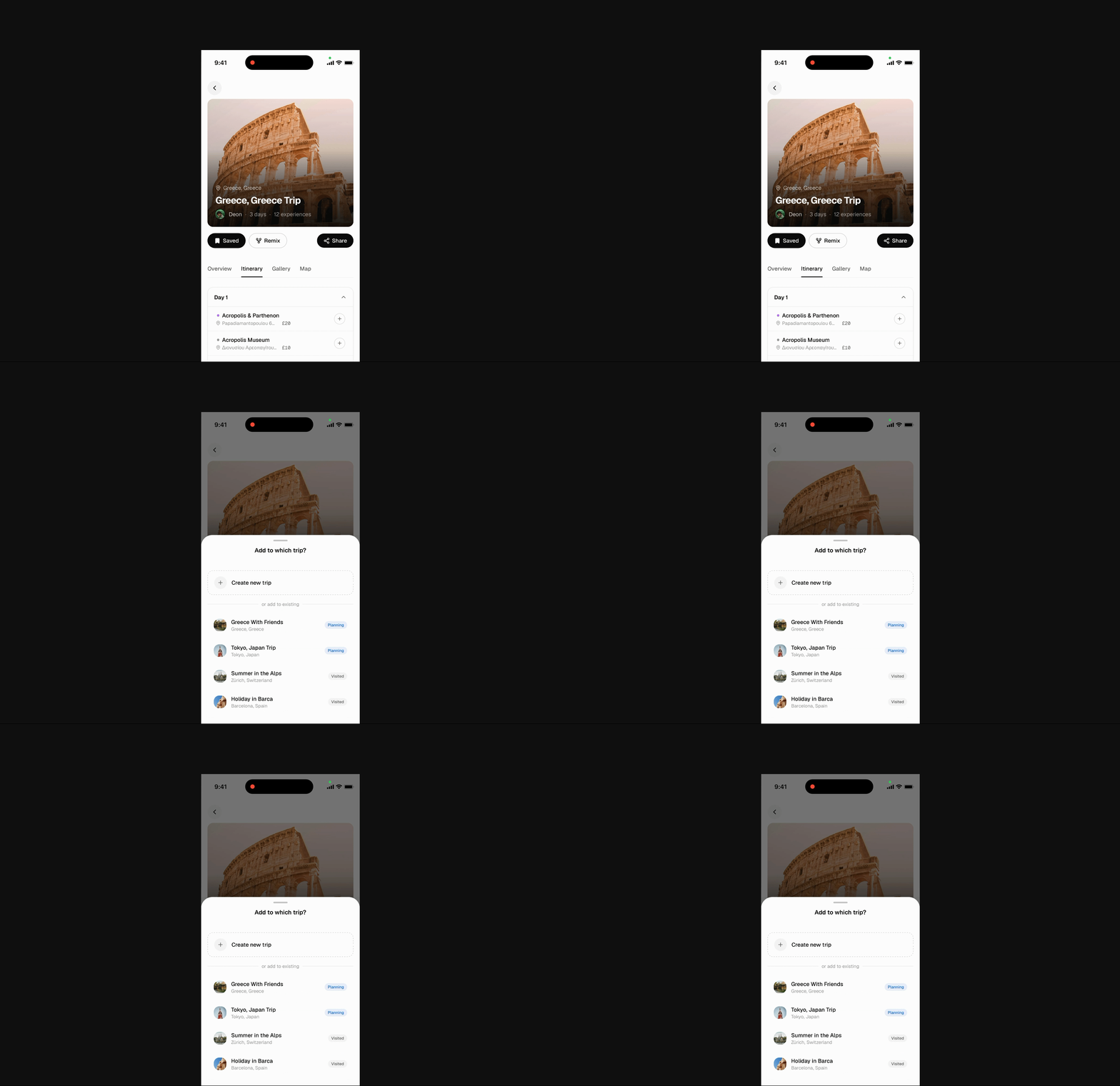
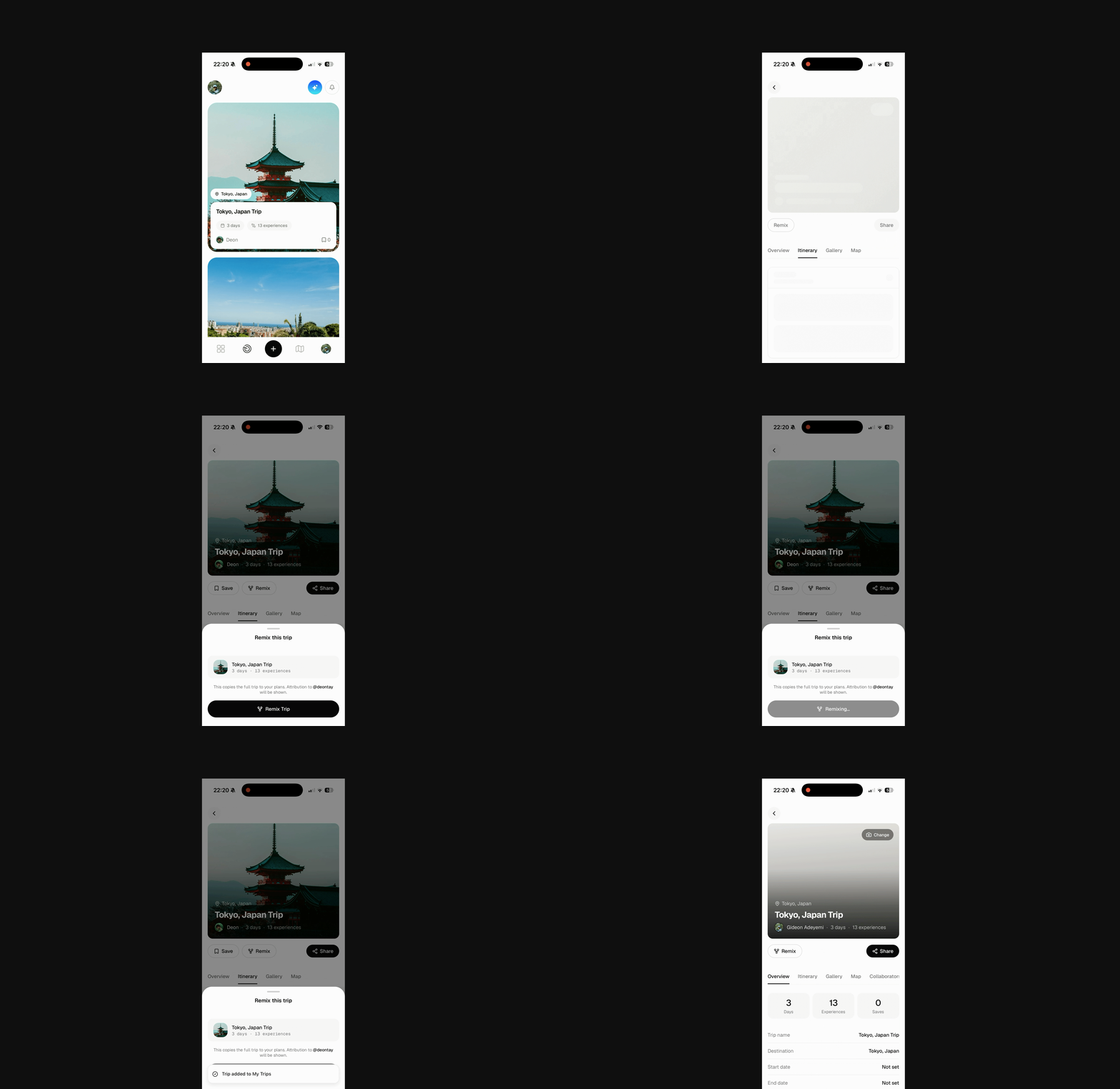
Every trip or individual trip experience is a dream destination for someone else; with this in mind, I designed the Remix and Cherrypicking features. These features were modelled to work as simply as playlist curation works. To Remix, users pick a trip they like that was posted by someone else and remix it; this creates a copy of that trip as a new trip for the user with all the itineraries in place. I implemented selective data transfer so that details like the media and all other personal notes and information in the original trip don’t get transferred to the remixed trip. I also added attribution to the creator of the original trip on remixed trips to give credit to curators,
The same goes for cherrypicking, but this is for individual experiences, not the whole trip. Users can click on an experience within another user’s trip’s itinerary and add it to the itinerary for a trip they are planning.
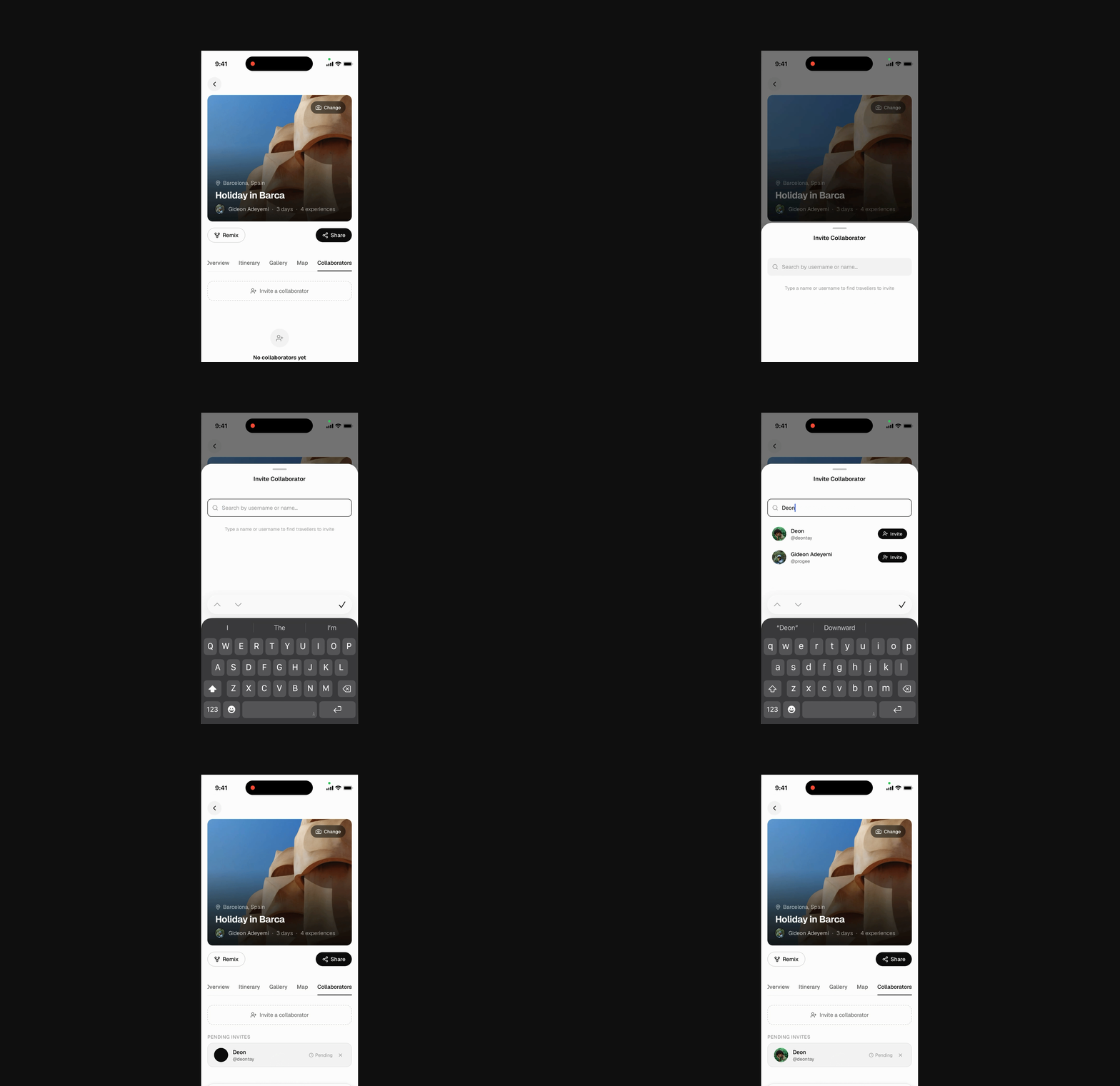
Wandar also encourages collaboration; all trips have an owner and can carry collaborators who can edit content but not privacy, invites, or deletion. To add a collaborator, the owner sends an invite to another user, and the user is added to the trip once they accept the invite; they can then contribute to the trip curation.
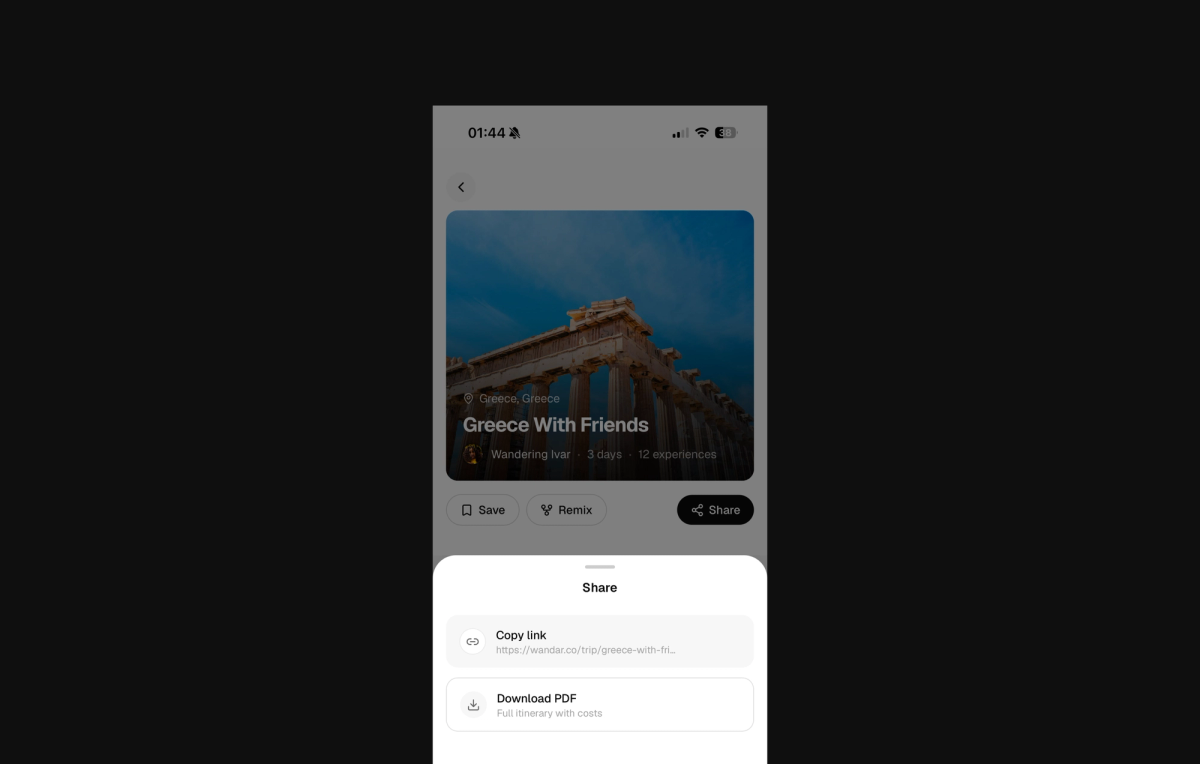
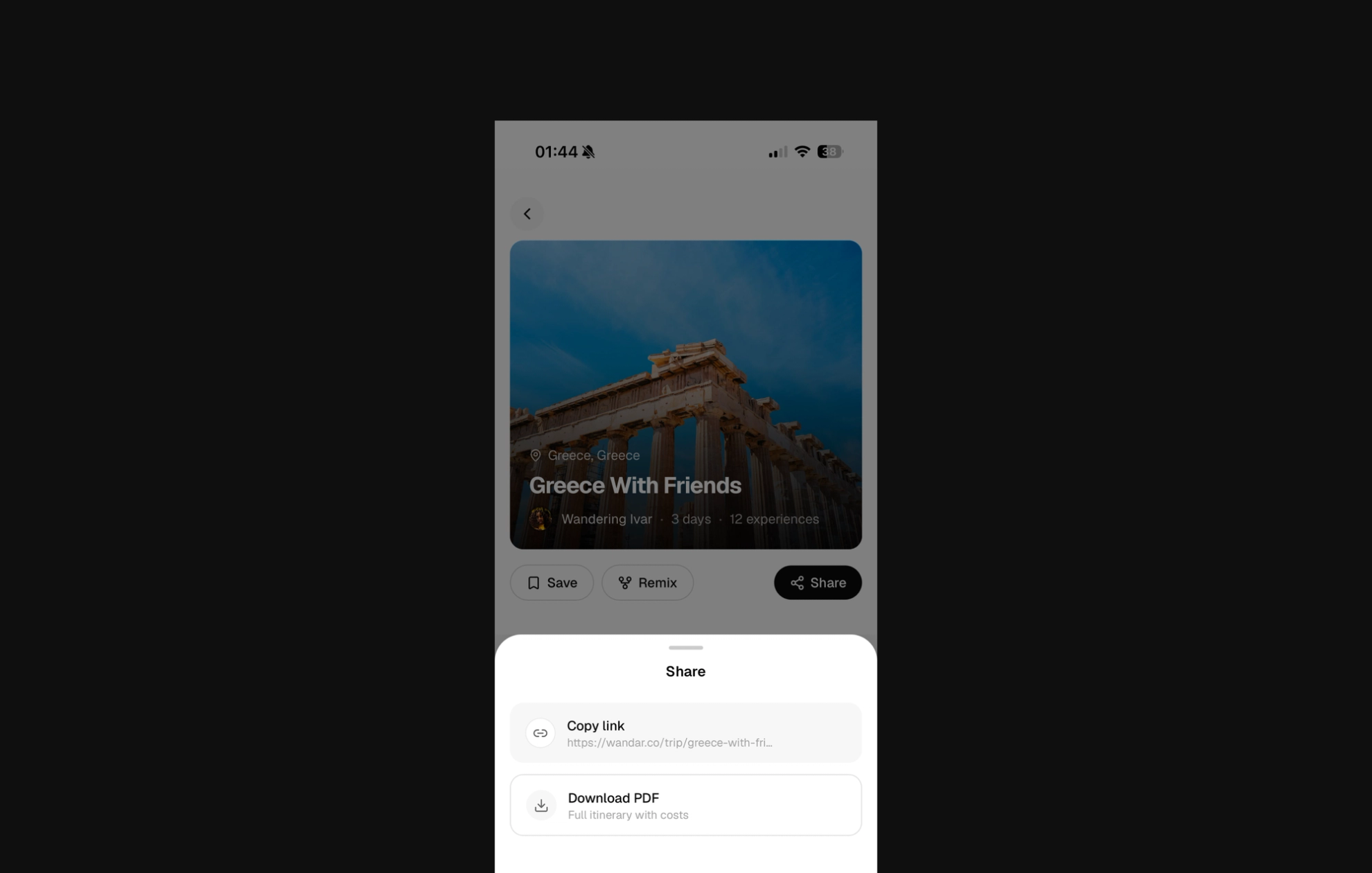
Users can also share a link to their trip, or export their trip as a multi-page PDF to share with their friends and family.
Travel Portfolio
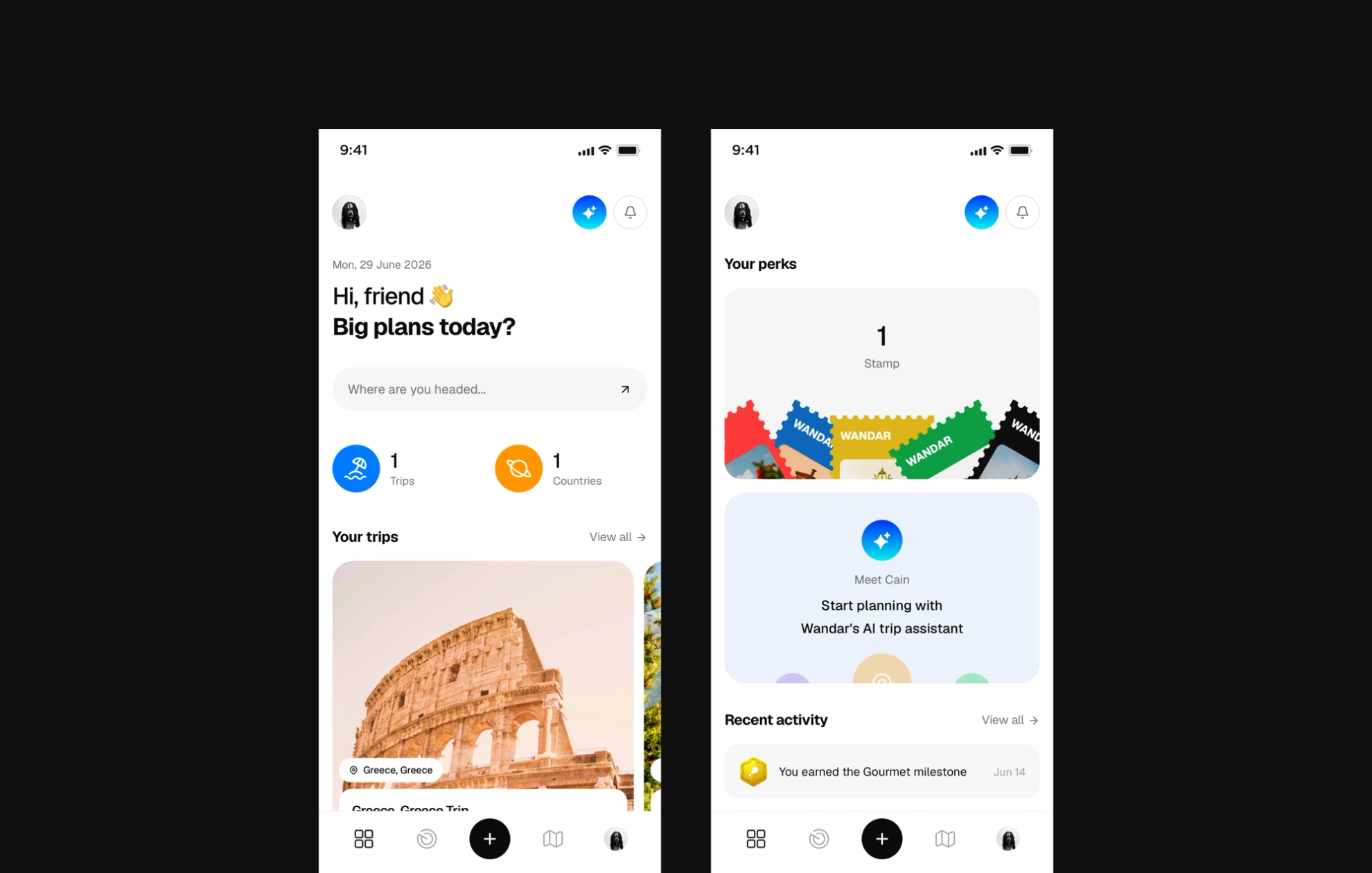
The travel portfolio is the holistic view of one of the major ROIs of documenting travels on Wandar. It consists of the user’s travel bio, all countries visited, and their travel accomplishments.
I decided to approach this as social proof and for status signalling, which is a big deal for users. The travel bio contained the user's image, short description, and travel interests; countries visited were represented using stamps as collectibles, and Accomplishments were curated milestones.
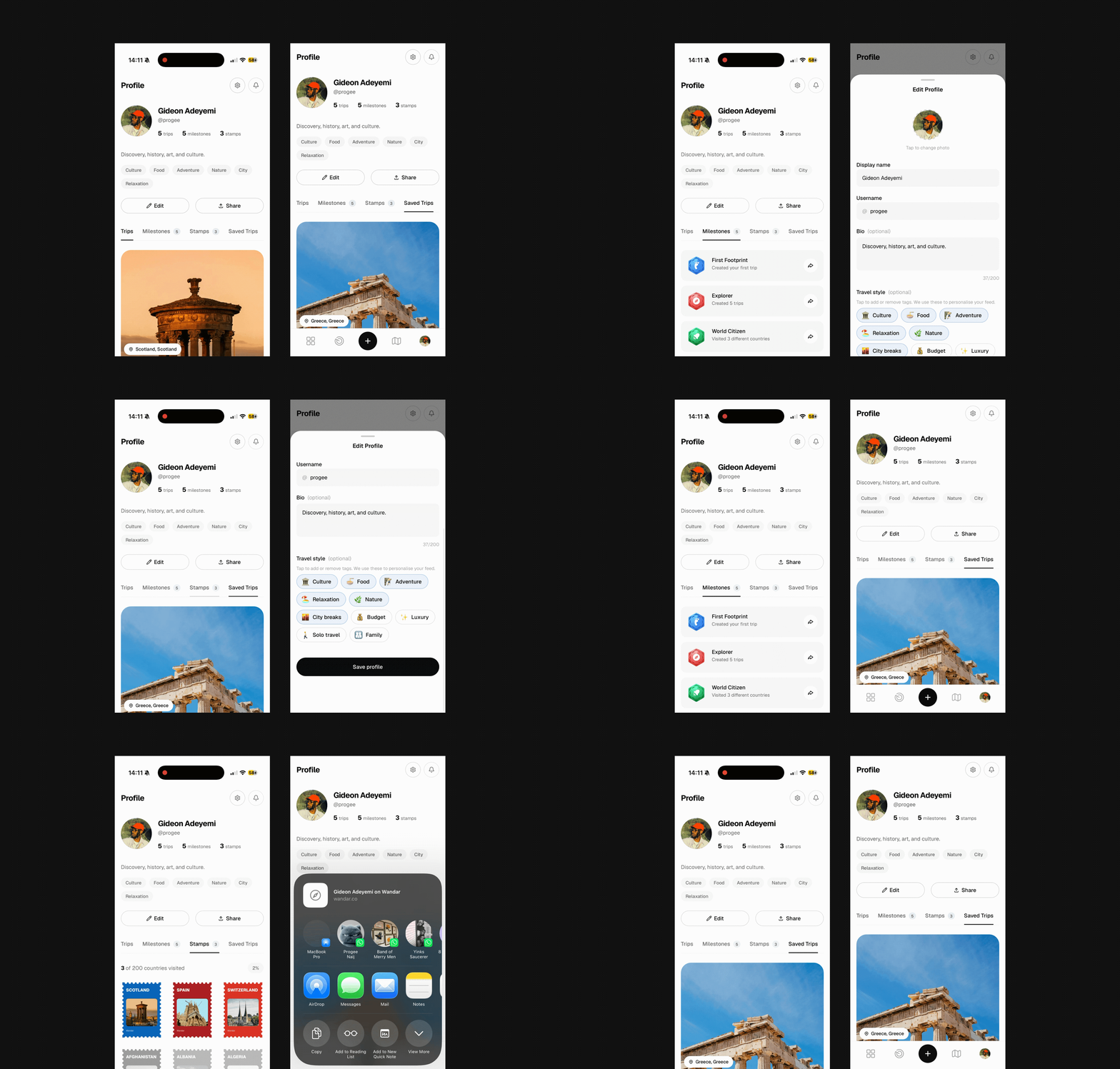
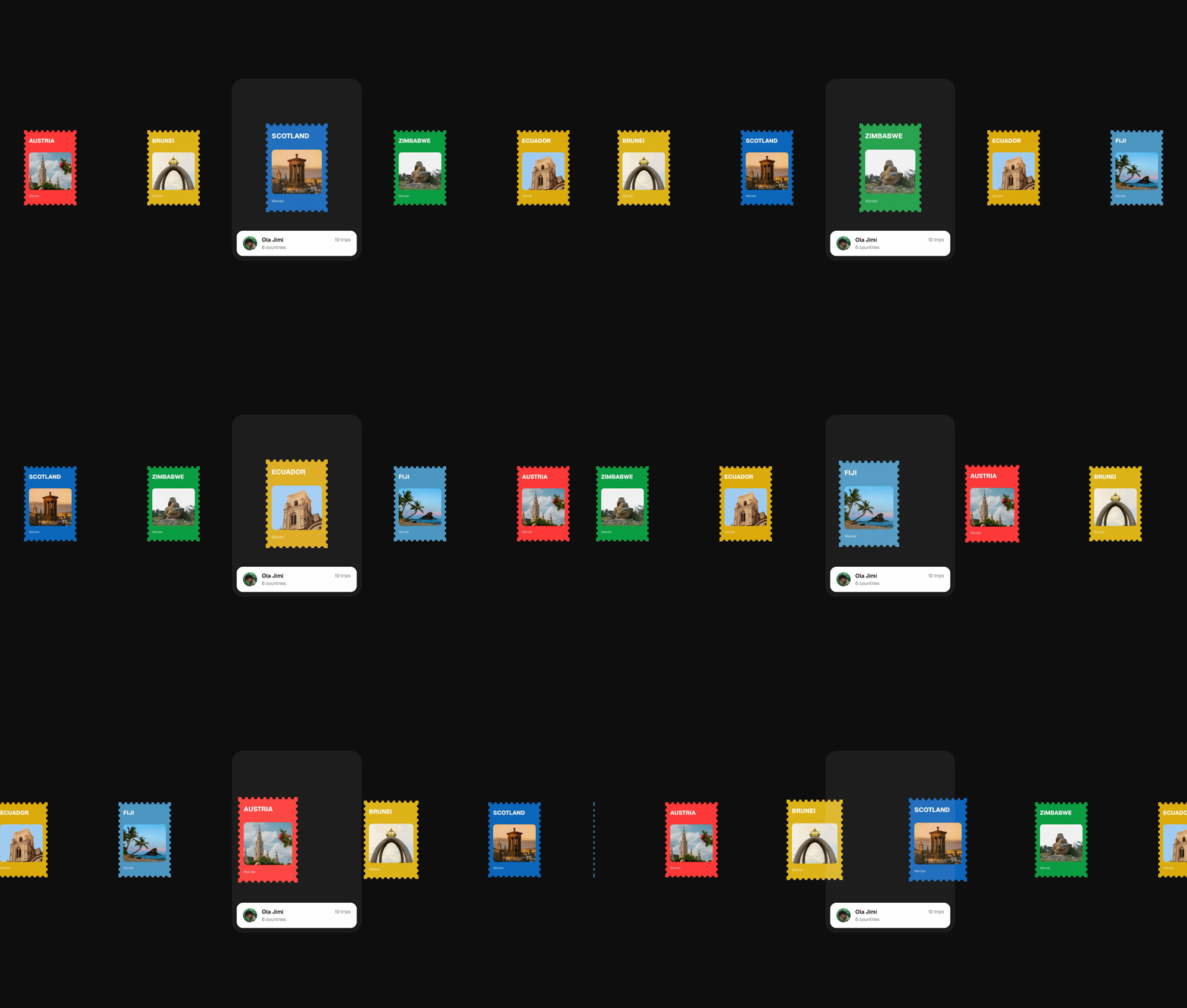
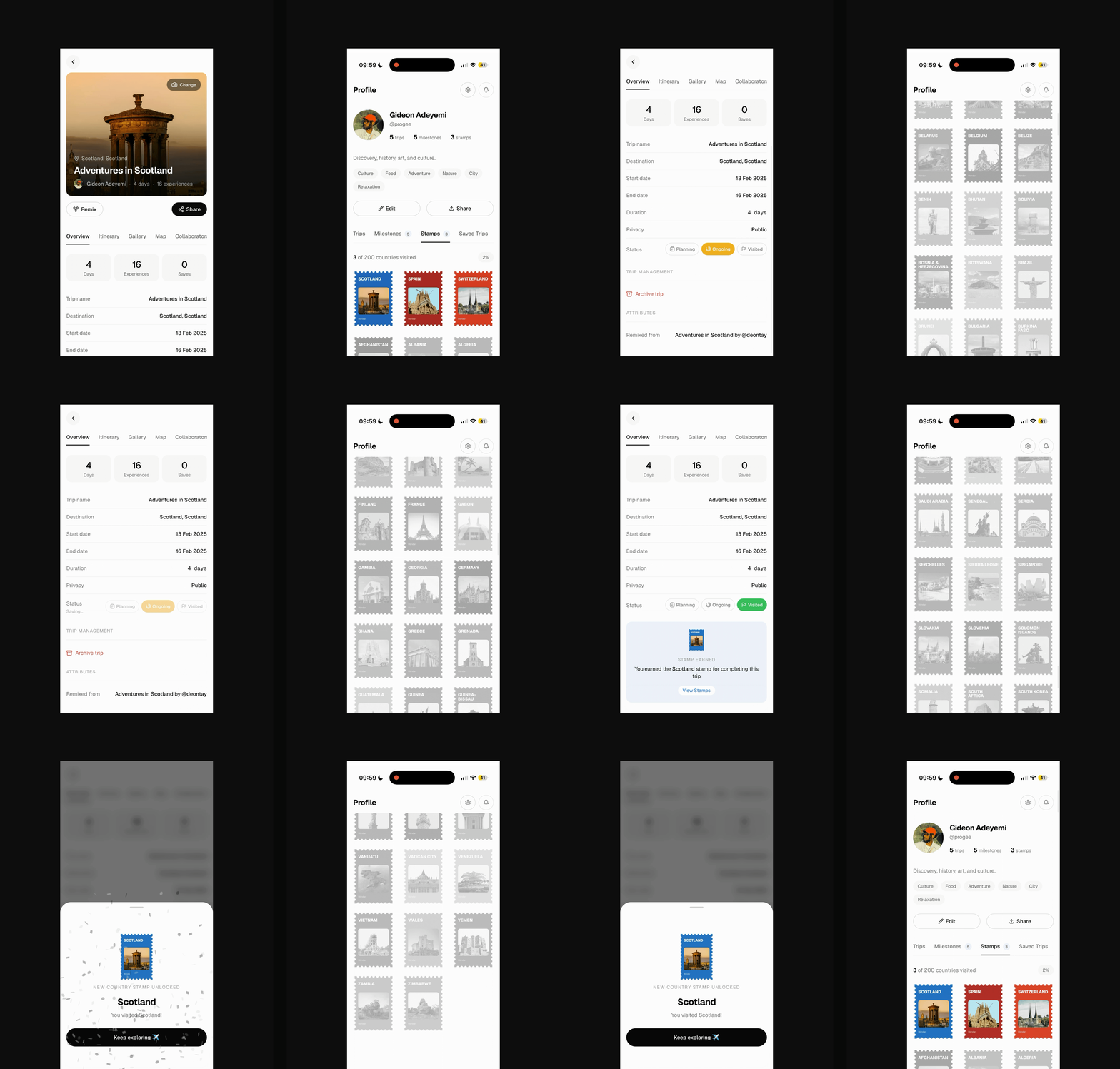
I hand-designed 200 stamps for the 200 countries; each served as a collectible for visiting a destination. The digital stamp shows up on the user's profile, where the user can share it with others. Users earn s country stamp by setting the status of any of their trips to “visited”. I decided not to implement verification of country visits before they earn stamps, as it becomes too much to ask just to earn stamps; instead, I let the users enjoy the experience without the bottleneck.
Another interesting detail I implemented is: rather than showing only the stamps of the countries visited, I let users see the stamps of countries yet to be visited in a faded grey inactive state; this motivates them to want to visit more countries to get the stamps they see.
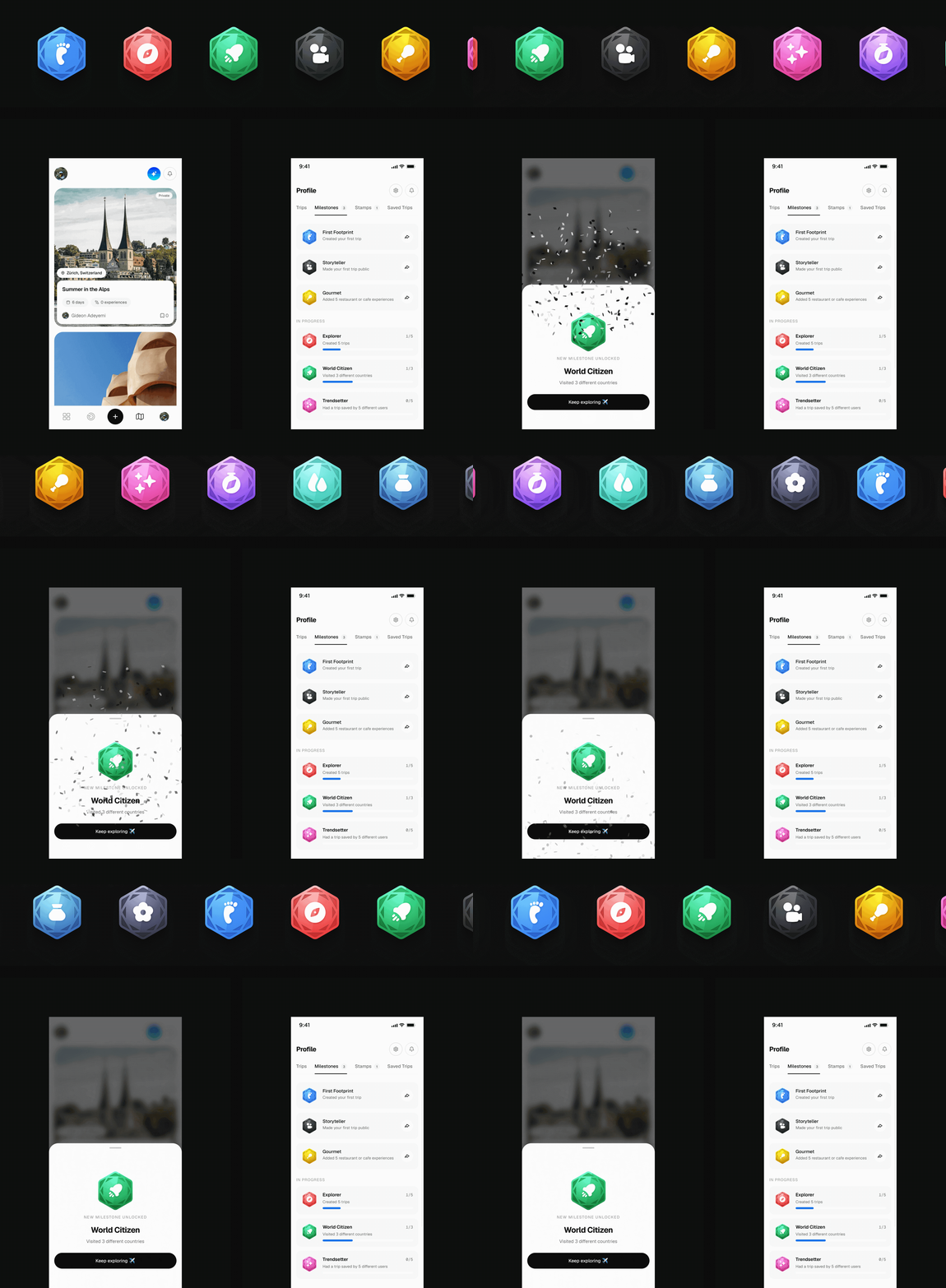
For milestones, they were a means to encourage users to fully experience Wandar's features, from planning trips to going on these trips, documenting their experiences, and improving the social readiness of their trip folders. Users can share the badges earned on social media and with friends. A combination of all these features makes the Wandar profile a solid travel portfolio.
The AI Trip Planner
For a first-time user, "plan a trip" usually means opening multiple trips and manually stitching the good bits into something of preference. The AI Planner is Wandar's fix: a full-screen conversational flow that asks one question at a time: where are you travelling to, how long, who's coming, interests, budget, just the way a well-travelled friend would ask you. A live trip panel fills in below the chat as you answer, so you watch the itinerary get built as you chat.
The decision that matters most isn't the chat UI; it's where the recommendations come from. I implemented this as one feature that does two jobs: a general assistant crawling the open internet, or a planner sourcing only from real trips already documented on Wandar, with every suggestion tagged back to its source trip. The internet version has zero defensibility; anyone can wrap an API around web search. I kept the second as default and the internet crawler as fallback in cases where Wandar’s data is not enough. That's the payoff for asking people to document trips in structured detail in the first place: the more trips people log, the better the planner gets, and that's a loop no competitor can shortcut.
The AI runs on the APIs of multiple models, providing streaming responses. The harder problem wasn't the conversation; it was making an AI-built trip behave identically to a hand-built one everywhere else downstream: I implemented the AI responses to create the trip in the same format as the default trip creation on Wandar, so at the end of the chat, a full trip folder is created automatically.

Offline Access
Wandar is a PWA, and trips are exactly the kind of content you want available with no signal, whether mid-flight, in a foreign SIM dead zone, or underground on a metro. A service worker caches every trip page you've actually opened for 24 hours, images for 7 days, and API responses on a network-first basis that falls back to cache after a 10-second timeout. An IndexedDB queue lets you edit an experience note while offline and syncs it automatically the moment you're back online, with a toast confirming how many notes just synced.
What doesn't and shouldn't work offline is anything requiring a server write in the moment, such as creating a trip, uploading a photo, and the AI planner. I was explicit with myself about that line rather than trying to fake offline writes with optimistic UI that could silently fail to reconcile later.
The honest gap: caching is passive; only trips you've already opened while online get cached. There's no "download this trip for offline" button, so a trip you've never visited is simply unavailable without signal.

The Stack
Next.js and TypeScript, styled with Tailwind, shadcn/ui, and Framer Motion. Prisma over Supabase Postgres, Clerk for auth, Upstash Redis for caching, Mapbox for places and maps, Cloudinary for media, Inngest for background jobs, Resend for email, and the Claude API powering the planner. Stripe for billing, Sentry and PostHog for monitoring, deployed on Vercel with GitHub Actions CI.
Where It Stands
Wandar is live at wandar.co with the above features built and working. Deferred deliberately: a native mobile app, booking integrations, and creator monetization — all things that need a larger, proven user base before they're worth the engineering cost. It's early, and I'm treating the next stretch as the real test: does the core loop actually hold up once people outside my own head are using it.
What Worked, What I'd Change
Locking the design system to a real library before writing custom design and behaviour tweaks to the component saved weeks of inconsistent UI drift.
Treating a trip folder as the key unit and drafting the schema-level architecture from day one reduced the level of rework and made the product feel connected through shared data and context; this also had a positive effect on the navigation and the selection of data available for offline use.
I reviewed every step rather than batching approvals; that’s the only reason bugs like the mistimed permission check, cache issues, and glitchy edge case management got caught before they shipped.
There’s still more to learn as Wandar is actively being used in production.
0%...
Because the smallest design
decisions can change how we
all experience the world...